Quenderin runs open models — Llama, Qwen, Gemma — fully on your device.
No cloud, no account, no telemetry, and it works offline. On a Mac it can also act on your
behalf: files, apps, Apple Shortcuts, asking before each change. Free, and
every line is on GitHub.
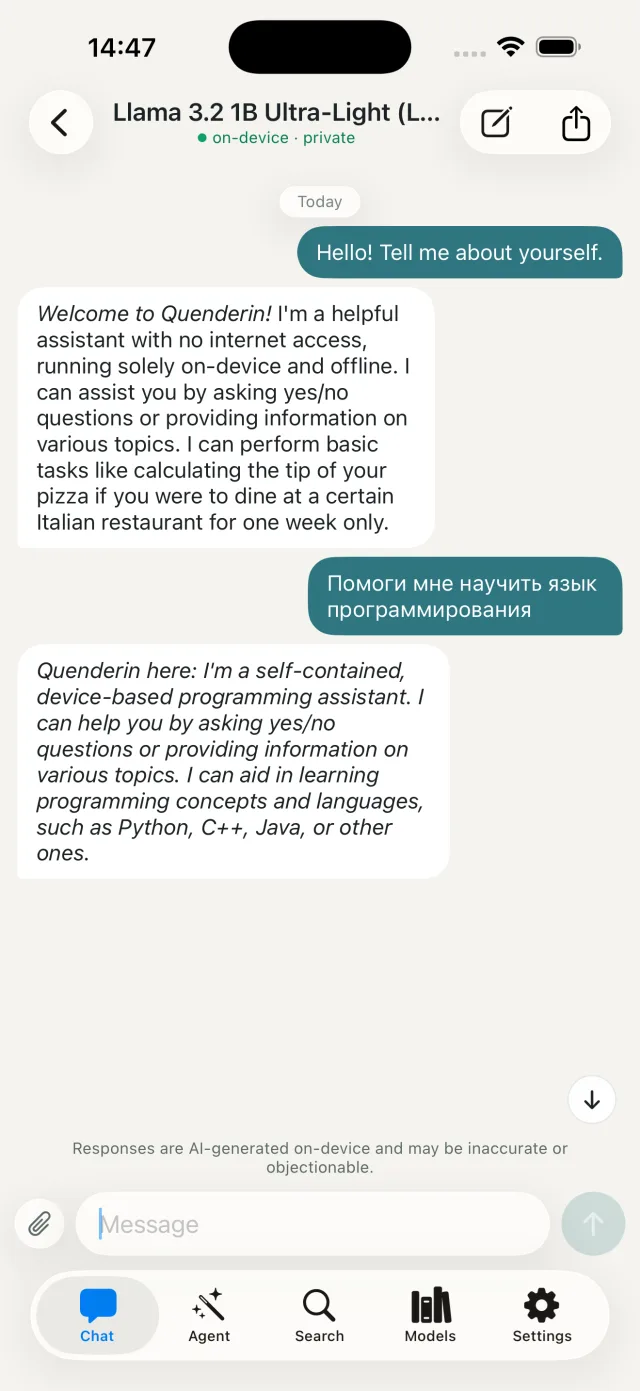
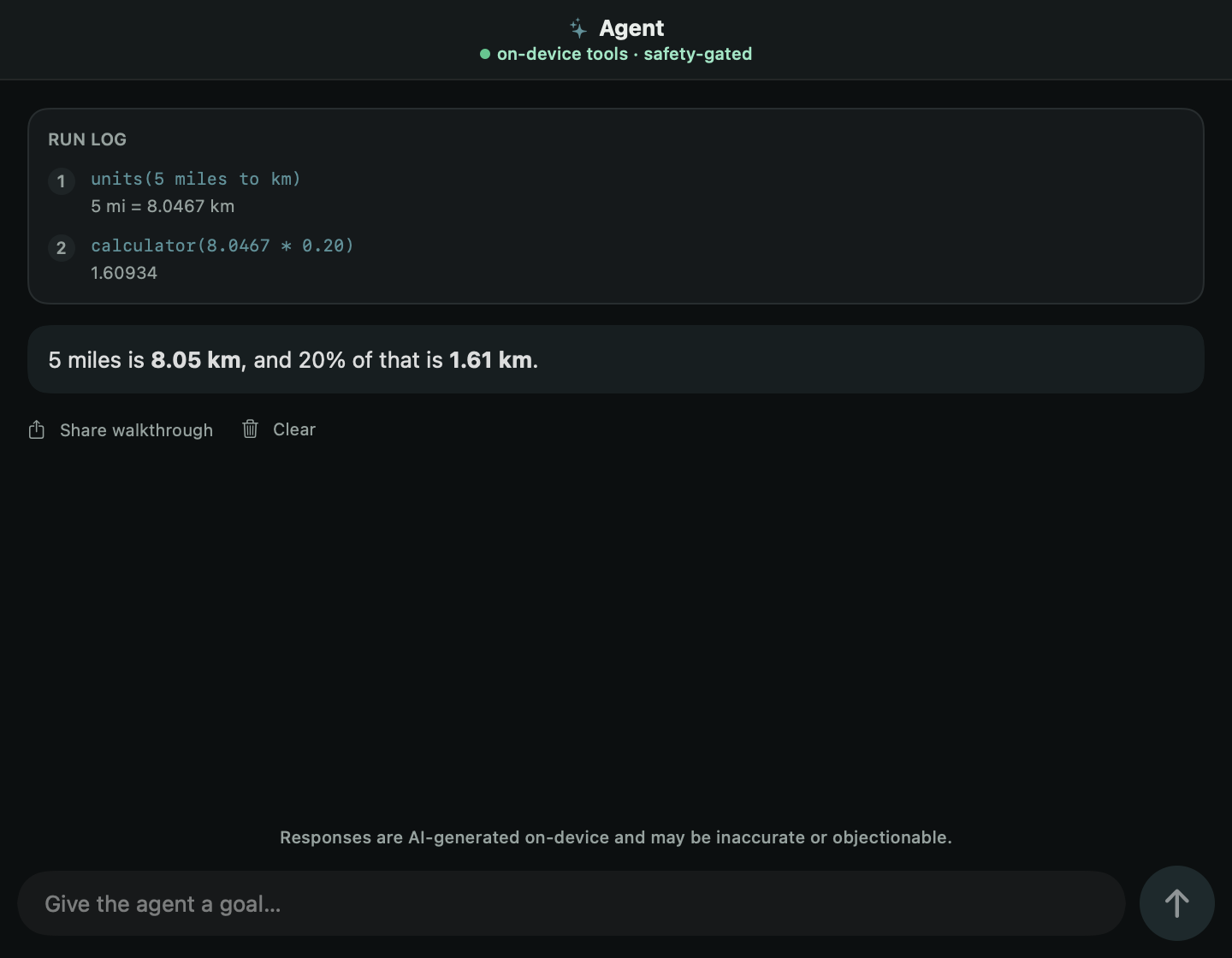
A real screenshot — this exact conversation ran with the network off.
Built on
Local GGUF models
node-llama-cpp / llama.cpp
Apple Silicon → Raspberry Pi
MIT open source
The cloud isn’t always there. Your AI shouldn’t vanish with the signal.
A mainstream assistant is a thin client for a data center: lose the connection and it goes
dark; keep it and your words travel to hardware you’ll never see. Quenderin is the
model itself, living on the device in your hand. It’s smaller than the cloud ones and
it will sometimes be wrong — we publish exactly how much smaller.
It is also always there, and it is only yours.
How it works
One download, then it runs offline.
01
Probe
Quenderin reads your hardware—RAM, chip, GPU—and recommends the largest model your device can run well.
02
Download
Pull the model once over Wi-Fi—0.4 to 4.7 GB, your choice. It resumes in the background if you get interrupted.
03
Go offline
Everything runs locally from then on. A clear check tells you it’s safe before you leave the grid.
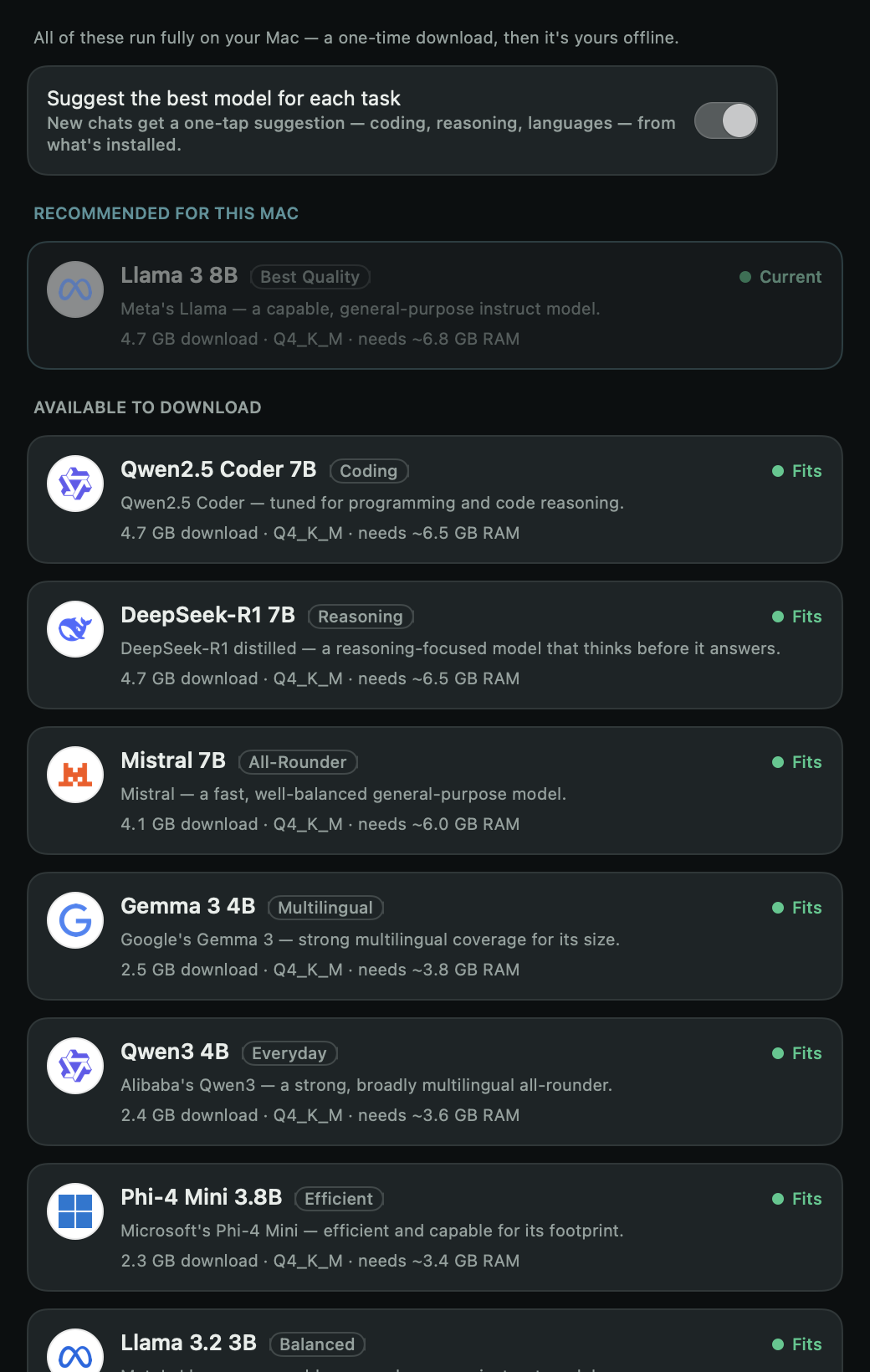
The picker checks your RAM before offering anything — models that don’t fit are disabled, with the reason.
The computer-use agent
It can do the task, not just answer it.
On a Mac, tell Quenderin a goal and a local model operates the computer for you — organizing files, driving any app, running your Apple Shortcuts. A private alternative to cloud agents like Cowork, governed by a trust loop a datacenter can’t offer:
Asks before every change. Nothing that alters anything runs without your yes for that step; app control still asks even on auto-approve.
Reviewable & reversible. A per-task local log (quenderin history), and undo a whole task — even in a new session (quenderin undo).
Rehearse first.--dry-run shows exactly what it would do, touching nothing.
Nothing leaves the machine. No screen, no files, no intent streamed to a vendor.
$ quenderin do "organize my downloads" \
      --workspace ~/Downloads

  · listed 42 files
  ● Move "invoice.pdf" into "Finance/"?
    Allow? [y/N] y
  ✓ Moved "invoice.pdf" into "Finance/".
  ● Move "IMG_2291.HEIC" into "Photos/"?
    Allow? [y/N] y
  ✓ Moved "IMG_2291.HEIC" into "Photos/".
  ● Rename "final_v3_FINAL.pdf" → "report-2026.pdf"?
    Allow? [y/N] y
  ✓ Renamed → "report-2026.pdf".

  Undo everything this task changed? [y/N] n
  Later? Run `quenderin undo` to reverse it.
Straight from the app
Not mockups. These are renders of the real UI.
Every image on this page is generated from the shipping SwiftUI code — when the app changes, the site re-renders with it.
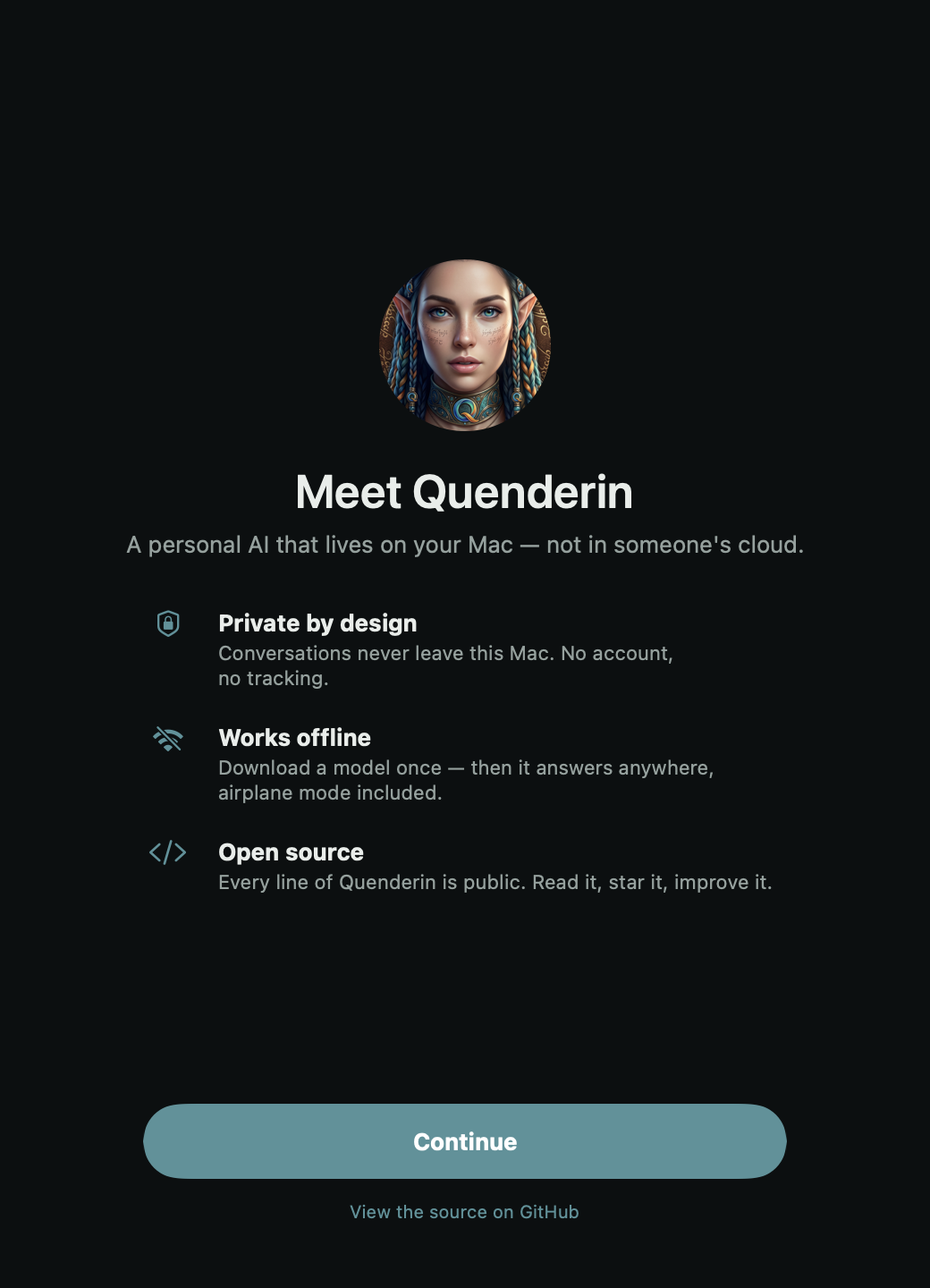
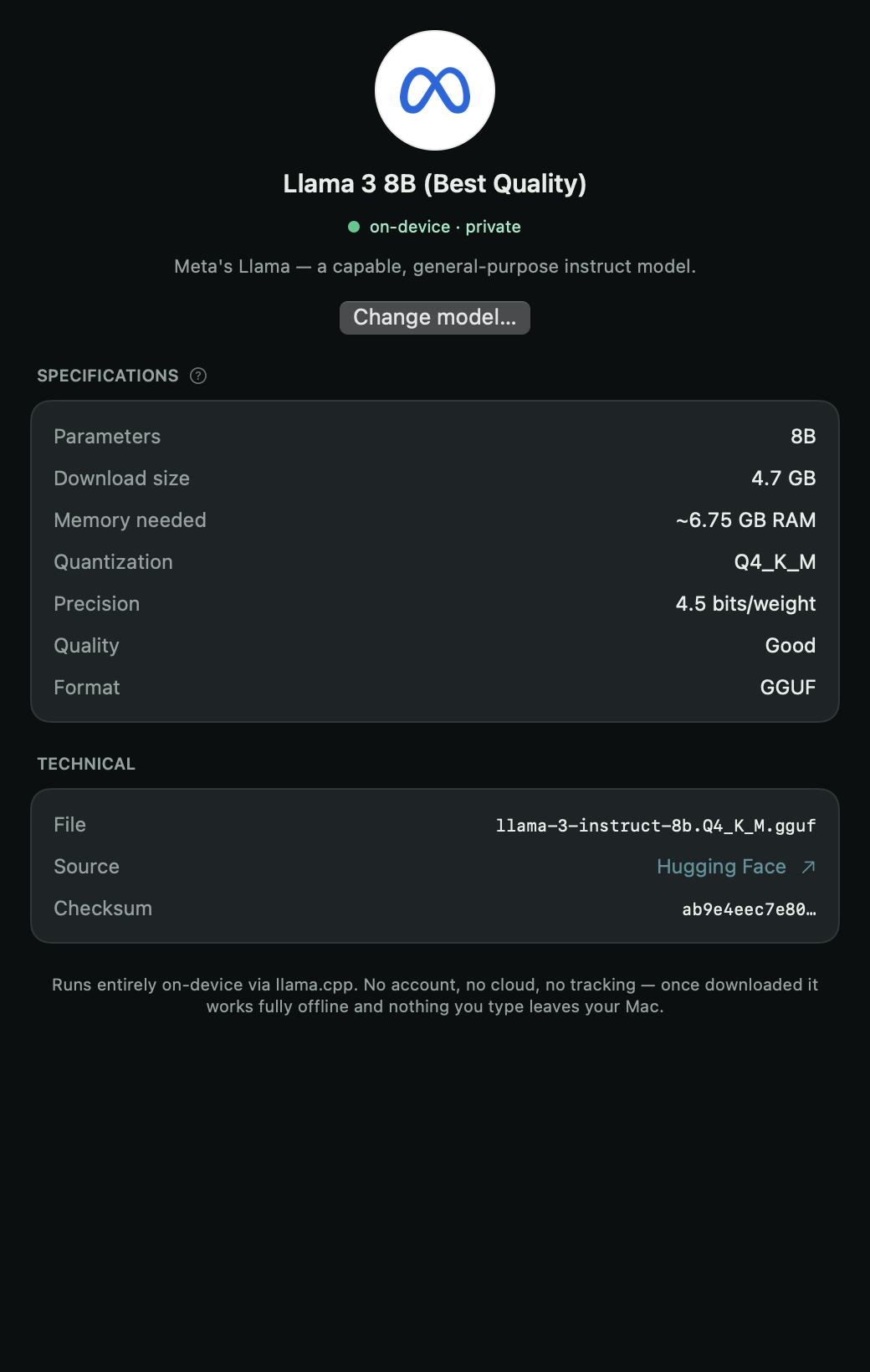
First launch — three promises, then you’re in.Every model explained in plain language — no jargon assumed.The catalog knows your hardware — Fits, Tight, or Too big, honestly.The agent shows its work — every tool call in the run log, and it can never touch payments, deletion, or credentials.
Android · Closed beta — open now
Get Quenderin on Android.
The native Android app is in closed testing right now. It takes two steps — Google runs closed betas through an opt-in group, so you join that first.
1
Join the testers group
Join with the same Google account your phone uses — that membership is what makes you a tester. It’s auto-approved, no waiting.
It’s an early build — expect rough edges, and your feedback shapes what ships. Full walkthrough, and what’s different about the Android port, in the beta guide.
Features
Everything runs on-device — nothing phones home.
After the one-time download, there are zero network calls. Works at 35,000 feet or three days into a hike.
Airplane mode · still answering
The model is a file on your disk, and answering is just your own CPU and GPU doing math through llama.cpp — there is no service on the other end. Try it: turn on Airplane Mode and ask anything. The only network request Quenderin ever makes is the one-time model download.
$0
Not a promotion — there is no server to pay for. It runs on hardware you already own.
No API meter, no token quota, no trial that expires — because there is no server farm computing on your behalf. Your machine does the work, and the MIT-licensed code can’t be taken away from you. Free stays free structurally, not promotionally.
A private alternative to cloud computer-use agents: it drives your files, apps, and Apple Shortcuts, asks before every change, and can undo the whole task—while never autonomously touching:
PayDeletePasswordTransfer
Every change is previewed first and waits for your explicit Allow — dismissing the dialog counts as no. Each action lands in an on-device audit ledger you can read afterwards, and the whole task can be undone in one tap. The blocked verbs aren’t a policy promise: they’re enforced by an on-device safety blocklist that ships in the open source.
No accounts, no analytics, no telemetry. Your conversations are yours.
Conversations are plain files on your own disk — export them, back them up, or delete them like anything else you own. There is no account to breach and no analytics SDK to leak: the app simply contains no tracking code.
It picks a model that fits—and warns you before one that doesn’t.
PiM-series
Quenderin reads your RAM and chip, then tells you honestly which models Fit, which are Tight, and which are Too big — before you download gigabytes. Context size, GPU offload, and thread count tune themselves to the machine, from a Raspberry Pi to an M-series Mac.
MIT licensed. Read every line, audit every claim, build it yourself.
The whole app is public — the inference wiring, the safety blocklist, the consent gates, the audit ledger. Don’t take this page’s word for any claim: read the code and check.github.com/alikatgh/quenderin
The model keeps downloading in the background—even if you switch apps the night before a trip.
A dropped connection resumes from the exact byte where it stopped — quit the app, lose the Wi-Fi, come back tomorrow. And before any model is ever loaded, its SHA-256 checksum is verified, so a corrupted or tampered file is rejected rather than trusted.
Made for
When the cloud isn’t an option.
Off the grid
Planes, trains through tunnels, trails, ships, field work — anywhere a signal can’t follow you, your assistant still does.
Private by necessity
Legal, medical, journalism, research — work that simply can’t be sent to someone else’s server. Nothing leaves the device.
Free for everyone
Students, hobbyists, the curious — a capable assistant with no subscription, no token meter, no account to create.
Built for the edge of the map
You’re going off the grid for three days.
The night before, on hotel Wi-Fi, you download a model—and Quenderin keeps the download
alive even when you switch apps, then shows a green “ready to go offline”.
On the trail, with no bars, you still have a capable assistant in your pocket. That’s the
whole point: an AI that doesn’t need the world to be online.
Quenderin runs on llama.cpp—so it runs any GGUF model: Llama, Qwen, DeepSeek, Mistral, Gemma, Phi. Here’s the curated shortlist it recommends from, sized for everything from a Raspberry Pi to an M-series Mac.
Model
Good for
Download
Min RAM
Quant
Qwen3 4BRecommended
General-purpose, Apache 2.0 — the current go-to
2.4 GB
4 GB
Q4_K_M
DeepSeek-R1 7B
Step-by-step reasoning & math
4.7 GB
8 GB
Q4_K_M
Qwen2.5 Coder 7B
Code generation & tool use
4.7 GB
8 GB
Q4_K_M
Gemma 3 4B
Multilingual, 140+ languages
2.5 GB
4 GB
Q4_K_M
Phi-4 mini 3.8B
Efficient, runs well on CPU
2.3 GB
4 GB
Q4_K_M
Mistral 7B
Fast, capable all-rounder
4.1 GB
6 GB
Q4_K_M
Llama 3.2 1B
Ultra-light — runs on a Pi
0.8 GB
1.5 GB
Q4_K_M
Qwen3 14B
Best quality for a strong device
9.0 GB
12 GB
Q4_K_M
+ thousands more from Hugging Face—any GGUF works. Choosing is optional: Quenderin picks the best fit for your device automatically.
FAQ
Questions, answered.
It mostly comes down to one idea: the model runs on your device, so nothing leaves it. Here’s the rest.
Yes. Quenderin is MIT-licensed open source, and inference runs on your own hardware—so there are no token costs and no subscription.
Is my data sent anywhere?
No. After the one-time model download, Quenderin makes no network calls. There are no analytics, no accounts, and no telemetry. Because it’s open source, you can verify this yourself.
What devices does it run on?
The iPhone app is on the App Store, and the desktop app runs on macOS and Linux—all today. The native Android app is in closed beta right now, and you can join the test to run it. It’s the same hardware-detection and model-selection engine, rebuilt natively for each platform.
Do I need a powerful phone?
No. Quenderin scales from a Raspberry Pi to an M-series Mac. It detects what your device can handle and recommends a model that actually runs—down to a 0.4 GB ultra-light build.
When can I install it?
The iPhone app is on the App Store today, and the native Android app is in closed beta on Google Play—join the testers group to run it now. The desktop app is open source and runnable from GitHub on macOS and Linux.
Run it today
Up and running in four lines.
It’s open source and runs from GitHub right now — on macOS or Linux.
git clone https://github.com/alikatgh/quenderin
cd quenderin
npm install
npm run electron:dev
iOS on the App Store · macOS & Linux today · Android in closed beta
Bring your AI offline.
It’s free on the App Store for iPhone, and open source you can run from GitHub today — desktop on macOS and Linux, with the native Android app now in closed beta you can join.